
Bootstrap your AI development environment in one command.
The package manager and intelligent project bootstrapper for AI-assisted software development — Noah understands your project, then configures Cursor, Claude Code, Windsurf, and more.
Continuous improvement — the CLI, registry, and DX keep evolving as the roadmap ships.
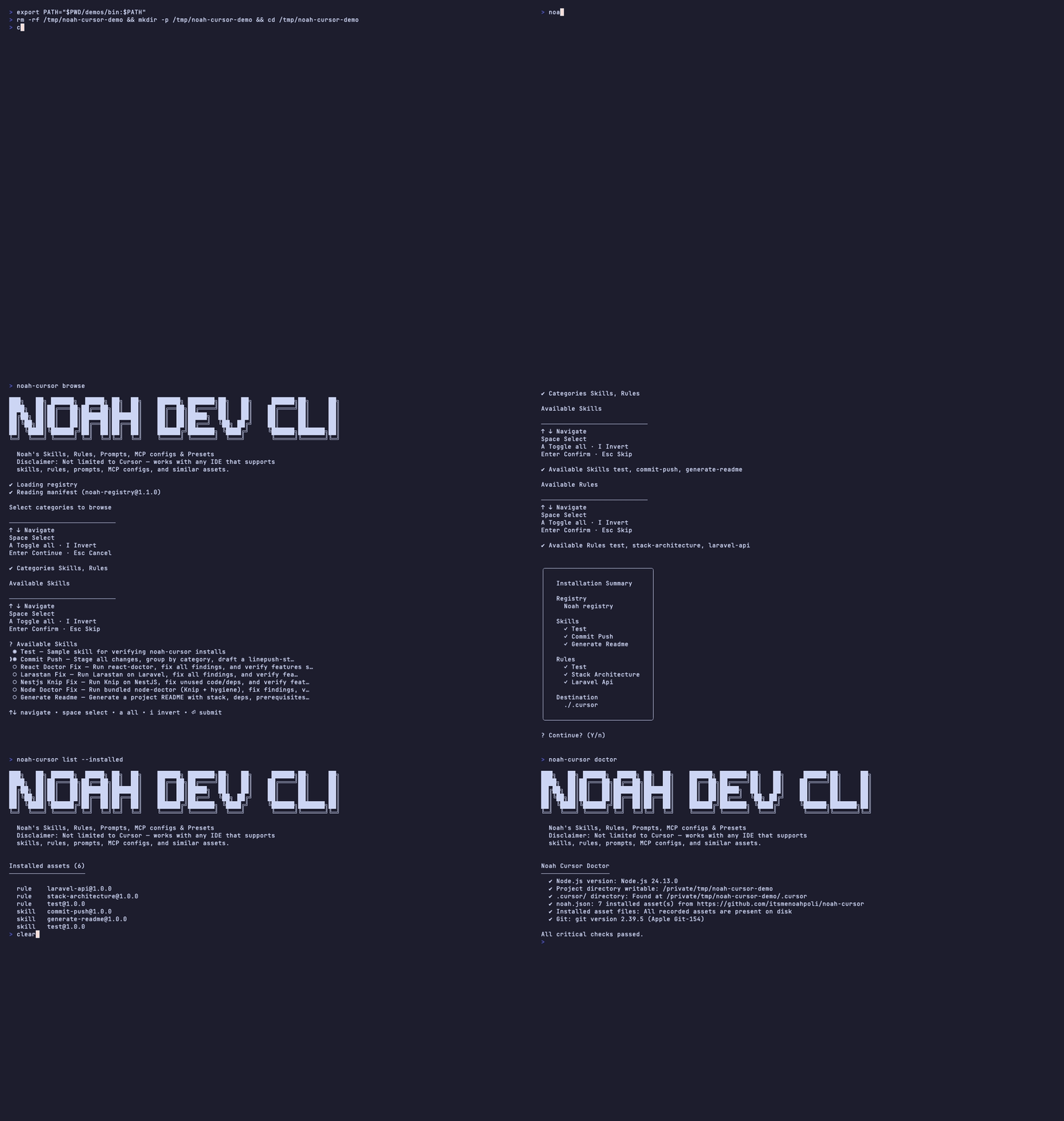
Intelligent Project Bootstrap
One command prepares your entire AI development environment.
How it works →-
01
Detect your stack
Frameworks, tooling, Docker, CI, and existing AI config — scanned from the repo.
-
02
Analyse & recommend
Health scores plus the best Skills, Rules, and Presets — then Noah asks before installing so you can confirm or skip.
-
03
Install & configure
On confirm, packages land in
.cursor/(or another IDE) andnoah.config.jsonis written for the team. Use-yto skip the prompt.
Why Noah Cursor?
Unlike traditional prompt registries, Noah understands your project first.
| Traditional registry | Noah Cursor |
|---|---|
| Browse packages manually | Automatically understands your project |
| Search for prompts | Recommends the right packages |
| Install one resource at a time | Bootstraps the entire AI development environment |
| Static downloads | Intelligent project analysis |
| Manual configuration | Zero-configuration onboarding |
Works with your AI assistant
Same registry. Destination depends on --ide or --target.
-
Cursor
.cursor/default -
Windsurf
.windsurf/ -
Claude Code
.claude/ -
Continue
.continue/ -
VS Code
.vscode/ -
Cline
.cline/ -
Gemini CLI
.gemini/ -
Codex CLI
.codex/ -
Roo Code
.roo/ -
Aider
.aider/
Skills & Rules
Bootstrap recommends these — or install by name when you prefer.
Skills & Rules catalog →-
commit-pushStage, group, commit, push — clean every time -
generate-readmeProject README with stack, deps, and setup -
react-doctor-fixRun react-doctor, fix findings, verify -
larastan-fixLarastan on Laravel — fix and verify -
nestjs-knip-fixKnip unused code out of NestJS -
node-doctor-fixNode hygiene with Knip + doctor
Try it in your terminal
Node.js 20+. Registry ships in the package. Bootstrap is the recommended entrypoint.
$ npx noah-cursor bootstrap? Install 5 recommended package(s)? (Y/n)$ npx noah-cursor# home: Bootstrap · Skills · Rules · Presets$ npx noah-cursor install commit-push --target claude